
Managing technology in a busy student computer lab can be a logistical nightmare. Between tangled cords, limited desk space, and the wear and tear of daily use, keeping headphones safe and accessible is a top priority for educators and lab managers.
Under-desk mounts are an elegant solution that clears clutter while protecting expensive audio equipment. Whether you are looking for a sleek commercial product or a budget-friendly DIY project, there is a mounting style to fit every classroom’s needs.
Why Choose Under-Desk Mounts?
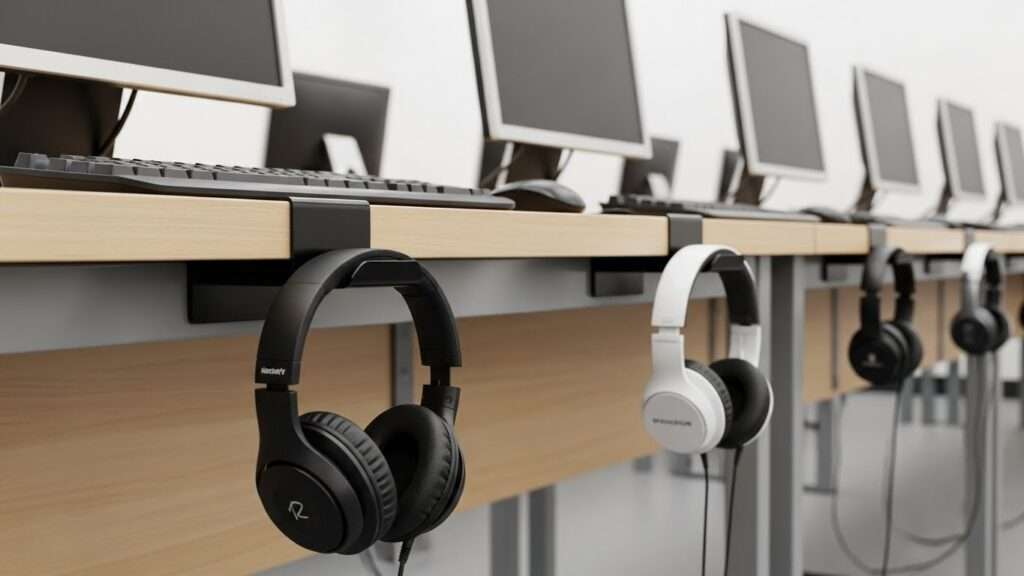
Utilizing the space beneath the desk is a strategic move for any computer lab. Primarily, it maximizes the usable workspace on the desktop, allowing students to spread out textbooks, notebooks, and other learning materials without fighting for room.
Secondly, it significantly reduces cable clutter, which is not only an eyesore but a tripping hazard and a common cause of headphone damage.
By giving every pair of headphones a designated “home,” you also encourage students to take responsibility for the equipment, reducing the likelihood of headsets being dropped, stepped on, or lost.
1. The Dual-Hook Hanging System
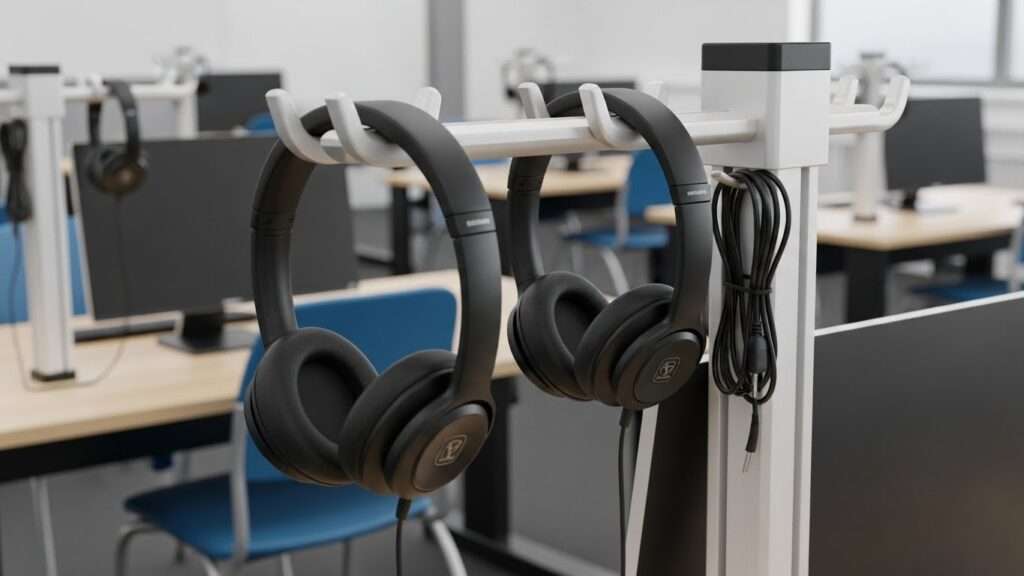
The dual-hook hanging system is a smart solution for crowded computer labs and shared workstations. Built with two sturdy prongs on a single base, it stores two headphones at once or keeps long cables neatly controlled.
Often crafted from aluminum or reinforced plastic, it handles more weight than single hooks. This design shines in collaborative classrooms, cutting desk clutter while doubling storage.
Its wider span also spreads pressure evenly, helping protect headbands from dents during daily student use and movement.
2. 360-Degree Swivel Clamps
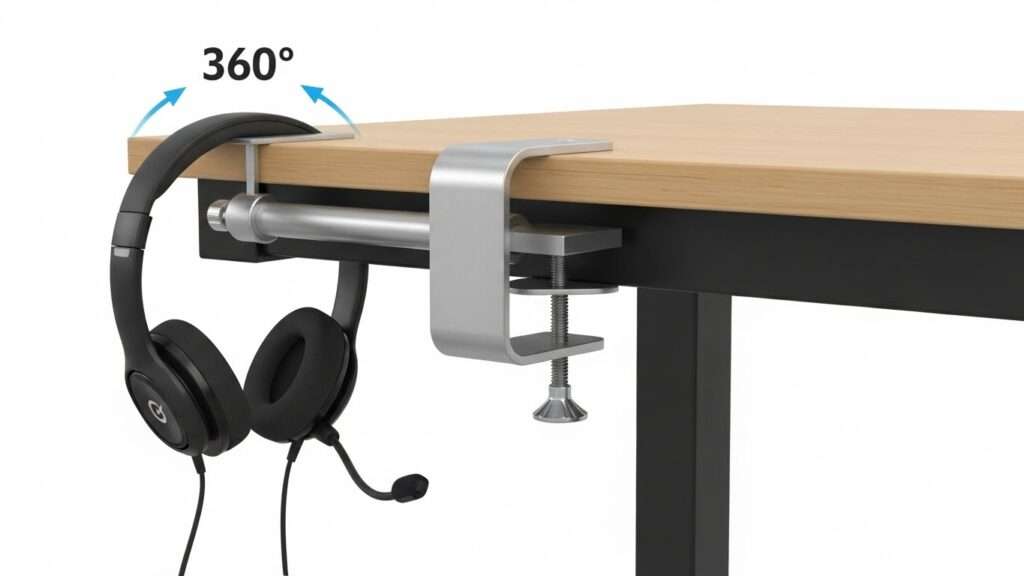
360-degree swivel clamps stand out for pure flexibility. Unlike rigid mounts that jut out all day, these arms rotate completely, letting headphones disappear neatly beneath the desk when unused.
That hidden position suits multipurpose classrooms, reducing knee bumps and preventing bags from catching on hardware. When class shifts to digital work, a quick swing brings the headset within reach.
Most models use adjustable clamps, avoiding drilling, enabling fast moves, and supporting constantly changing lab layouts with minimal disruption overall daily.
3. Permanent Screw-In Metal Mounts
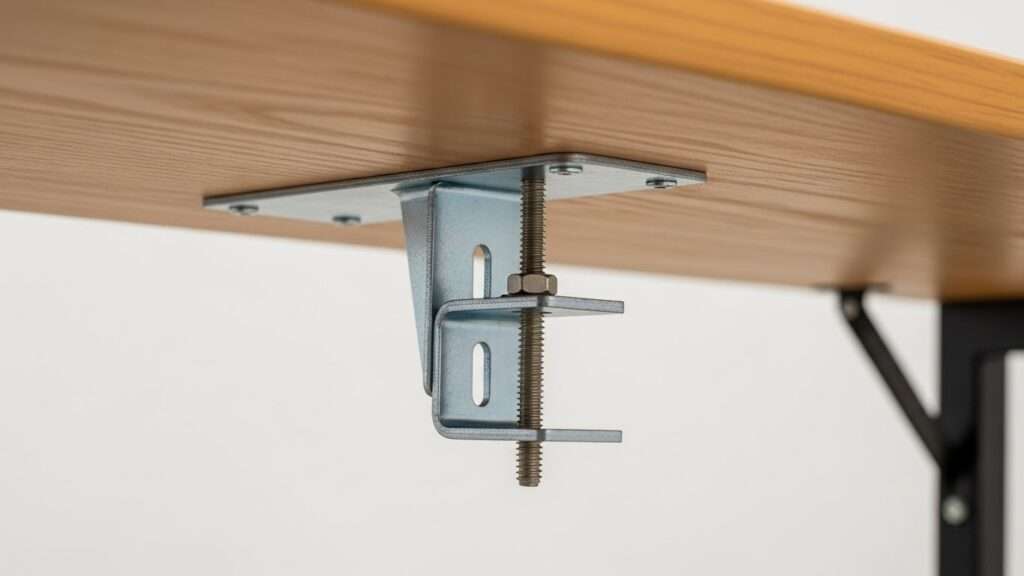
When long-term strength matters most, permanent screw-in metal mounts stand unrivaled. In busy student labs, adhesive options fail and clamps loosen under constant movement.
A metal bracket anchored directly beneath a wooden desk delivers uncompromising stability. Typically crafted from steel or aluminum, these mounts endure years of daily wear without shifting.
Although installation requires drilling pilot holes, the reward is a worry-free, maintenance-free setup—perfect for fixed computer labs where security, durability, and reliability are non-negotiable.
4. Damage-Free Adhesive Hooks
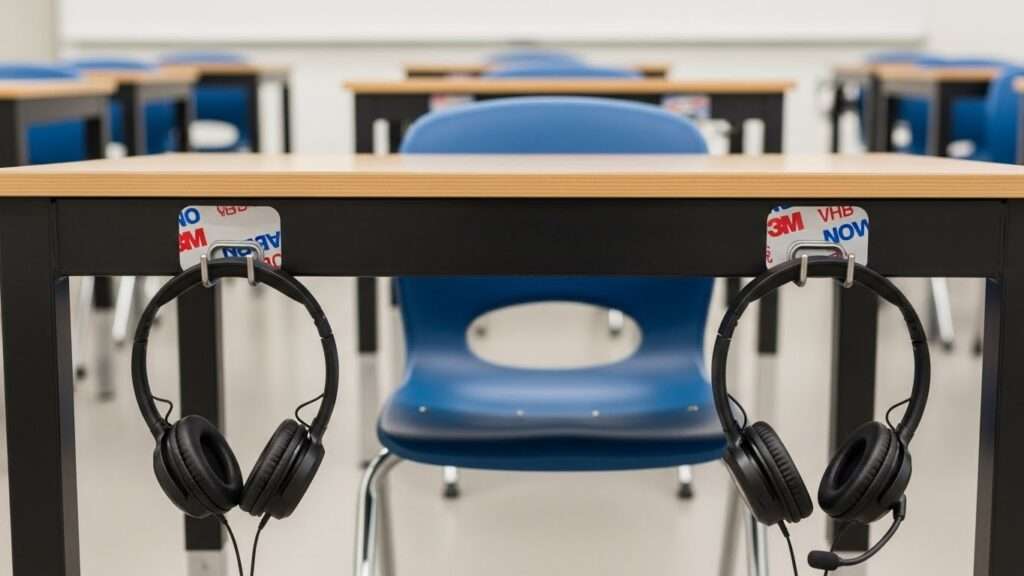
Damage-free adhesive hooks are an ideal solution for schools using leased desks or furniture that cannot be drilled. Powered by high-strength, double-sided industrial tapes like 3M VHB, they bond firmly beneath desks without tools or downtime.
Installation is lightning-fast; an entire lab can be equipped in under an hour. While unsuitable for ultra-heavy audiophile headsets, they securely hold standard classroom headphones and remove cleanly with heat or solvent. It also preserves aesthetics and flexibility across evolving classroom layouts and needs.
5. Magnetic Hooks for Metal Furniture
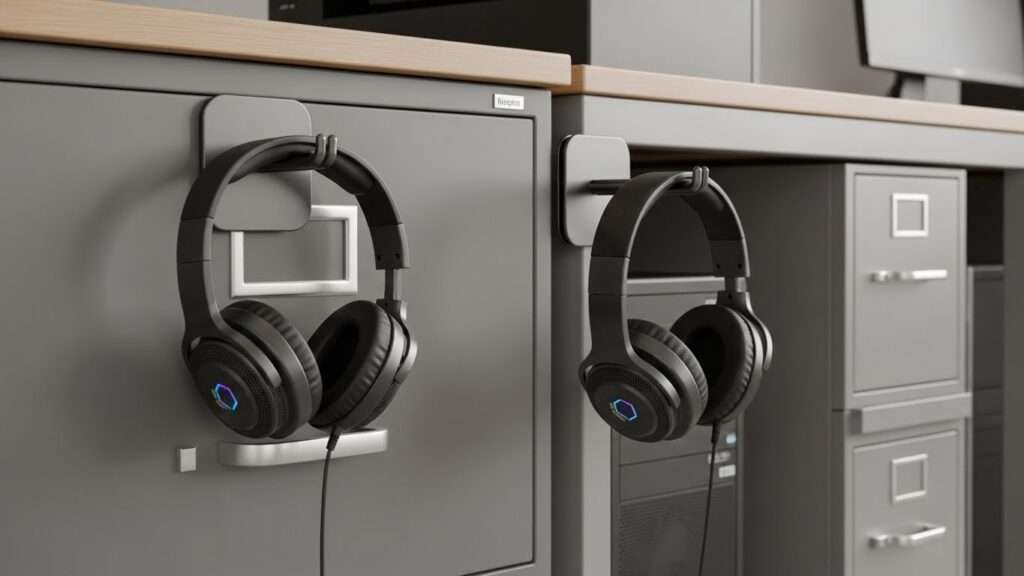
In computer labs filled with metal desks, filing cabinets, and PC towers, magnetic hooks quietly shine. These heavy-duty mounts snap onto ferrous surfaces in seconds, delivering a firm grip strong enough for bulky, gaming-style headsets.
Their real strength lies in flexibility. Students and teachers can reposition them instantly no tools, no effort. With zero screws or adhesives involved, they’re completely risk-free. A bump or kick? The hook simply detaches, protecting both furniture and equipment.
6. Integrated Cable Management Hangers

Few problems frustrate computer labs more than cables knotted into a messy web. Integrated cable management hangers eliminate that chaos by pairing a sturdy headphone hook with built-in clips or spools for cords.
Students neatly coil wires and secure them off the floor, preventing chair damage and daily strain. By relieving stress on delicate connectors, these mounts noticeably extend headset life. A widened hook lip keeps coils in place, uniting storage and cable care within busy, high-traffic learning environments today.
7. The DIY Binder Clip Solution
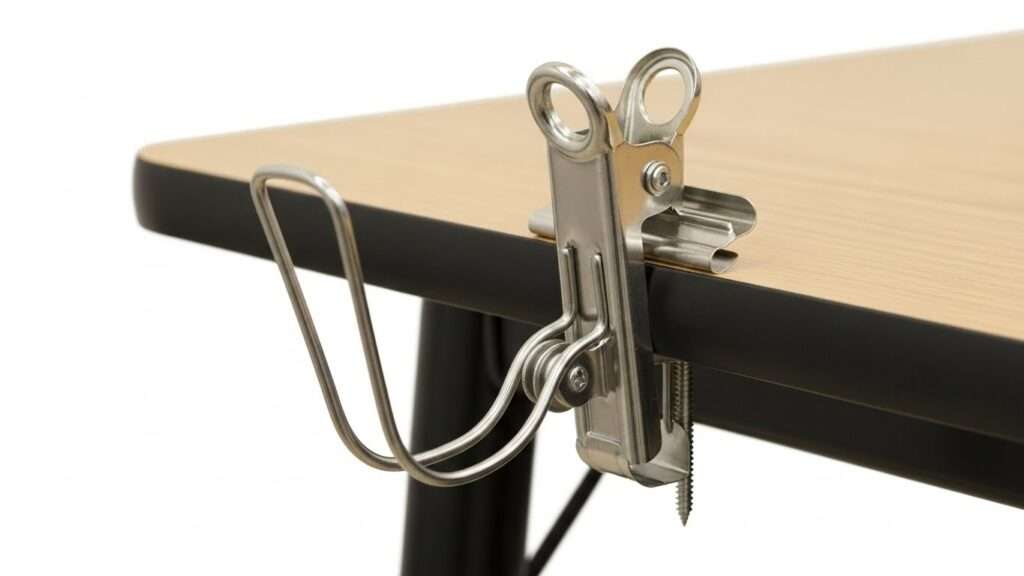
When budgets are tight, a humble binder clip becomes a surprisingly smart fix. Clamp a large clip to the desk edge and instantly create a tough metal loop.
Bend the wire arms into a simple cradle for headphones, or use the clip as a secure anchor. Want it sturdier? Screw it beneath the desk. It’s not fancy, but it’s durable, replaceable, and practical—often turning into a long-term favorite while teaching students hands-on resourcefulness.
8. Custom 3D Printed Brackets
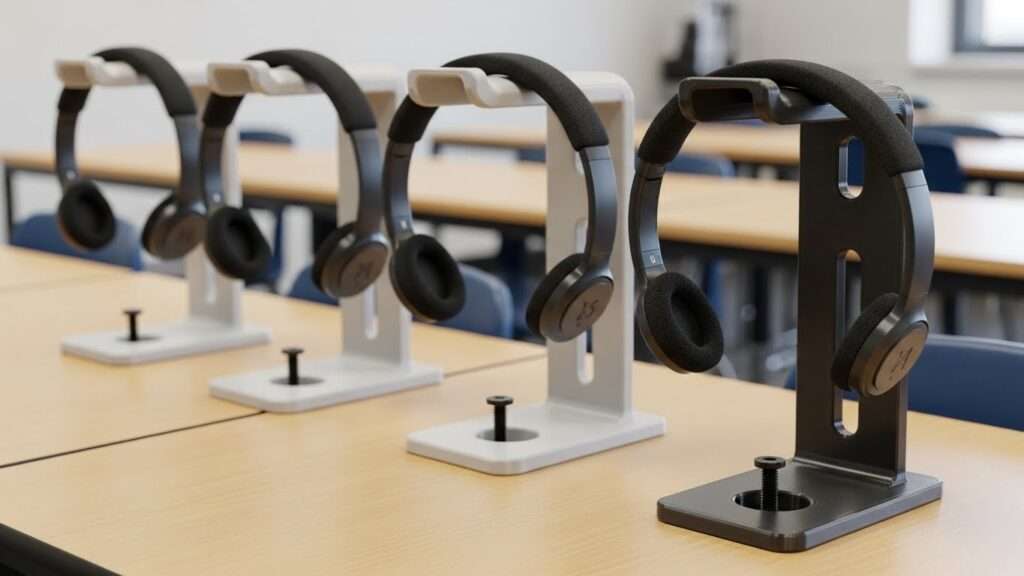
For schools with a strong STEM culture or simply access to a 3D printer custom 3D-printed headphone brackets offer a smart, flexible solution. Each mount can be tailored precisely to your desks and headphone models, from the curve of the hanger to the width of the support.
Padding stays protected. Wear is reduced. School colors, station numbers, or labels can be printed directly into the design, while features like wider bases or custom screw patterns add stability. It’s practical, hands-on engineering in action.
9. Foldable and Retractable Hangers
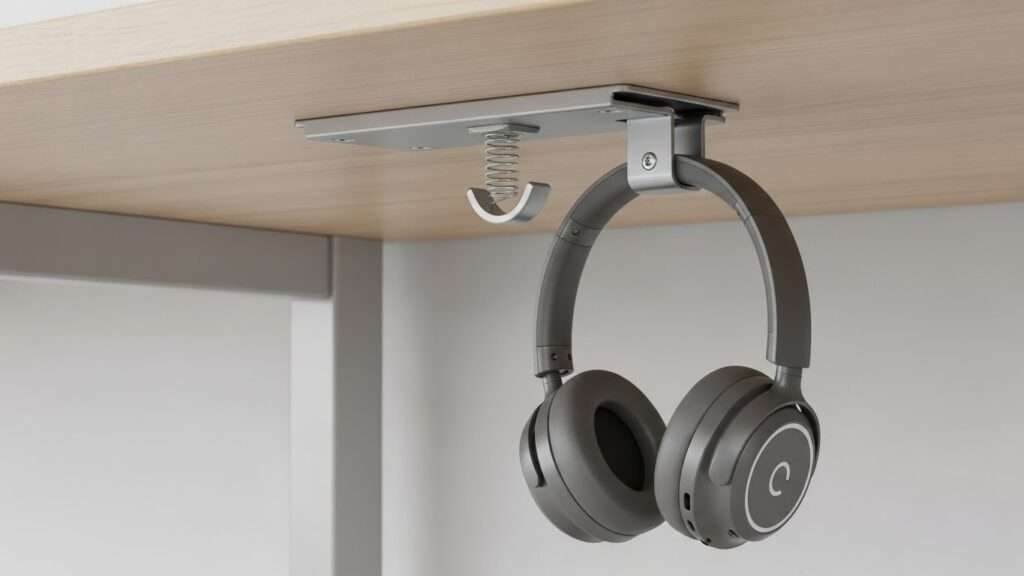
Foldable and retractable hangers deliver a refined alternative to traditional swivel mounts, relying on a hinge-based design rather than rotation.
The hook folds down only when needed, then snaps neatly back under the desk, leaving no visual clutter. This flush profile enhances safety by eliminating protrusions that could catch clothing or cause bumps in narrow aisles.
Often spring-loaded or friction-driven, they feel precise and modern. They suit shared or multi-use tables, especially where drawing or writing tasks demand underside space.
10. DIY PVC Pipe Industrial Mounts
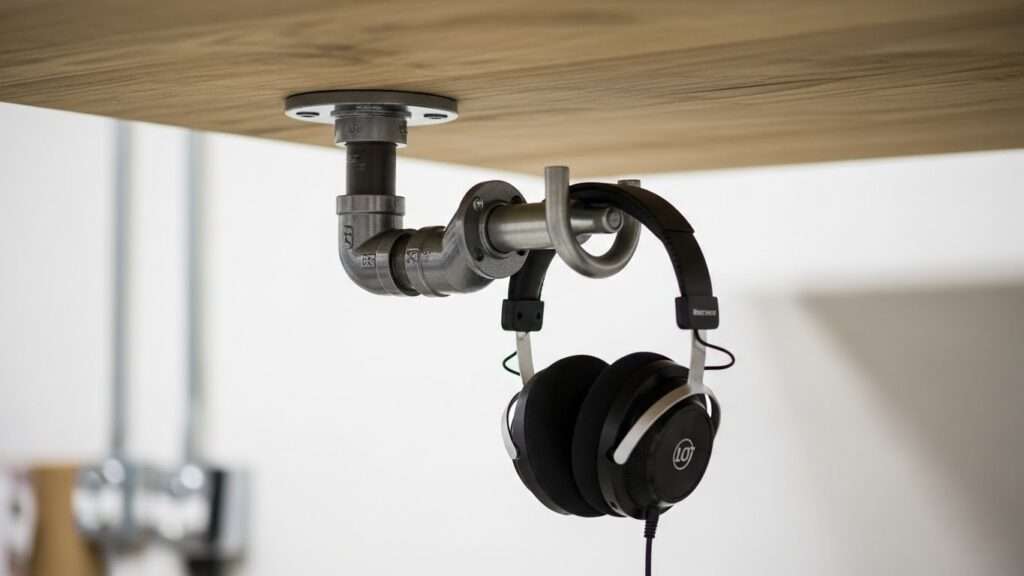
For a tough, industrial look that borders on indestructible, PVC pipe mounts are a smart choice. A simple setup flange, short pipe section, and an elbow joint lets you fasten a heavy-duty hook straight under the desk.
The result is seriously strong; a loaded backpack wouldn’t faze it, so headphones are effortless. Perfect for workshops, labs, or maker-style spaces, PVC can be painted to suit the room, and its smooth curves protect headphone padding while staying budget-friendly and easy to customize further.
Tips for Installation and Maintenance
- Check Knee Clearance: Before installing hundreds of mounts, sit at a station and test the placement. Ensure the mount does not interfere with a student’s legs or the armrests of the chair.
- Clean Surfaces First: If you are using adhesive mounts, thoroughly clean the underside of the desk with isopropyl alcohol to remove dust and grease. This ensures a bond that will last for semesters, not just weeks.
- Cable Routing: always plan where the cable will go when the headset is hung up. If the cord drags on the floor, the mount is only doing half its job. Consider pairing the mount with small cable clips stuck to the desk leg.
- Standardize Placement: Install every mount on the same side of the desk (e.g., the right side). This creates a uniform look and helps students instinctively know where to reach, reducing friction during class transitions.
Conclusion
Investing in under-desk headphone mounts is a small change that yields massive results for student computer labs.
By clearing the desktop, protecting the equipment, and organizing unruly cables, you create a learning environment that is more conducive to focus and creativity. Whether you choose a high-end retractable model or a clever binder clip hack, the most important factor is consistency.
Implementation of any of these 10 ideas will extend the life of your technology and keep your classroom looking professional and ready for learning.
Frequently Asked Questions
Q: Will adhesive mounts ruin the desks if we remove them? A: generally, no. If you use high-quality command strips or warm up the industrial adhesive with a hairdryer before peeling it off, they usually come away clean. However, always test one spot first.
Q: How much weight do these mounts need to hold? A: Most student headphones are quite light, weighing less than 1 lb. However, students might be tempted to hang backpacks on them. It is best to choose a mount rated for at least 5 lbs or instruct students strictly on usage.
Q: Can I use these for gaming headsets? A: Absolutely. Gaming headsets are often bulkier, so look for mounts with a wider “saddle” or curved rest to ensure the headband doesn’t get creased or deformed over time.
Q: What is the best height for mounting? A: Mount them as close to the front edge of the desk as possible without them protruding. This makes them easy to see and reach without the student having to crawl under the table.
